
Phase 1: Setting IP Address to Static (PAX Terminal)
-
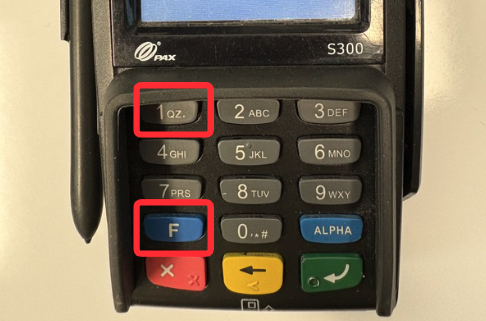
Press the Menu button or press FUNC and 1 at the same time.
-
Enter your password.
Note: The default password is the current date in MMDDYYYY format.
-
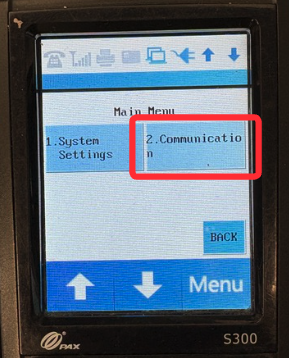
Press the Down Arrow, then select 2. Communication.
-
Enter your password again.
-
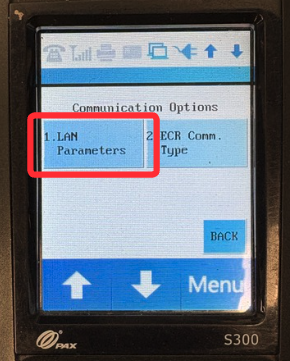
Press the Down Arrow 2x, then select 3. LAN Parameters.
-
Select 1. LAN Type
-
Select 2. Static