
-
Phase 1: Accessing the Main Menu
-
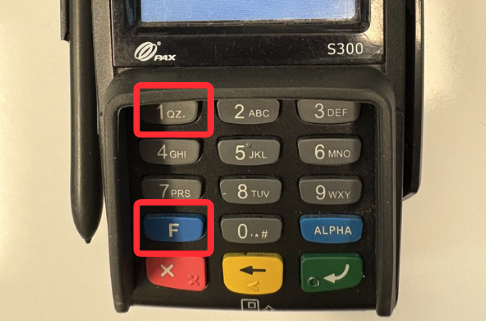
On the PAX S300 keypad, press the 1 and F keys simultaneously.
-
When prompted for a password, enter Today's Date in the
MMDDYYYYformat (For example, if today is June 15, 2021, you would enter06152021).
-
Phase 2: Locating and Reviewing Transactions
-
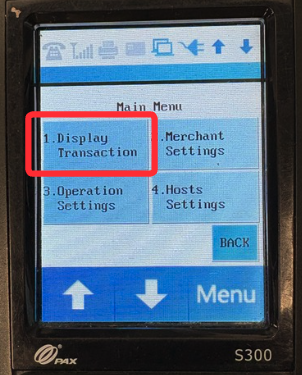
From the menu options, tap on Display Transaction.
-
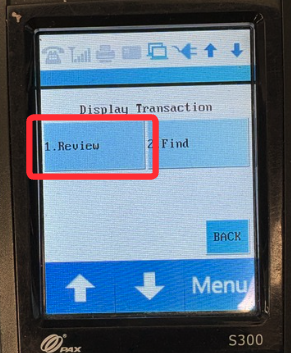
Next, tap on Review.
-
You will be prompted for the password a second time. Enter Today's Date (
MMDDYYYY) again. -
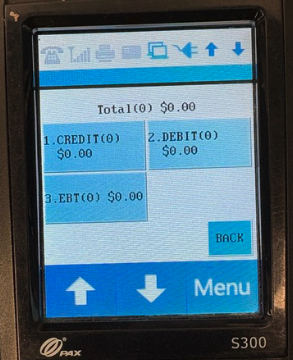
Select the payment type for the transaction you want to review by tapping either Credit or Debit.
-
Scroll through the list to look for and select the specific transaction you need.