
Phase 1: Accessing the Settings Menu
1. On the terminal's home screen, locate and open the TSYS Sierra or Vantiv application.

2. Tap the four corners of the touch screen in a clockwise direction, starting at the top-left corner.
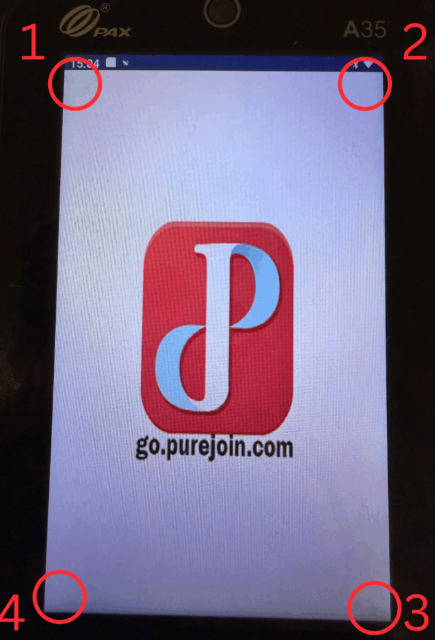
3. When prompted for password, enter Today's Date in an MMDDYY format.
For Example: Today is July 1, 2026: Enter 07012026
Phase 2: Viewing the Transaction List
1. Once inside the Settings menu, scroll down to locate the History option and tap it.

2. The terminal will now display a detailed list of your transaction history, allowing you to review previous sales within the batch.